Same line. New language.
Dubbing inside AVID Pro Tools, Steinberg Nuendo and Adobe Premiere in 20+ languages. Trustworthy by design.
The plugin
Always stay inside the edit.
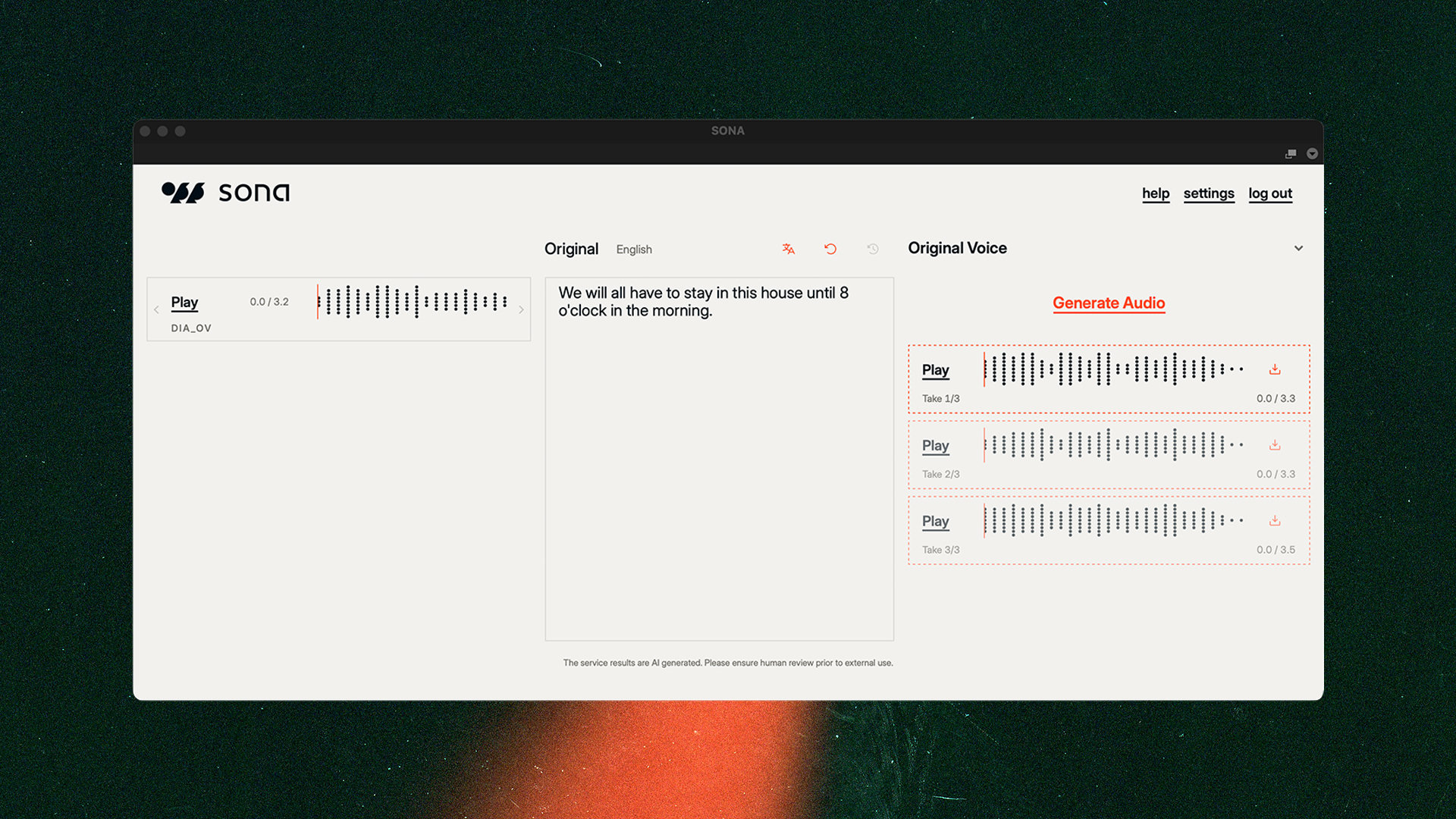
Select a region
Open the SONA plugin in your audio or video editing software and select an audio region on the timeline. The plugin picks it up automatically, no export or re-import.
Text and translation
Every region is transcribed automatically, so you can start editing right away. Translate into 20+ languages and our algorithm optimises the wording for dubbing; timing, phrasing and all. Nothing is locked in: change anything, any time.
Synthesize speech
Pick a voice from your workspace, or clone the original voice and performance. Render your audio clip and drop it directly back into your timeline. Create stunning voice-overs, change a line, or create a dubbed audio track.
SONA Verify
Made to be checked.
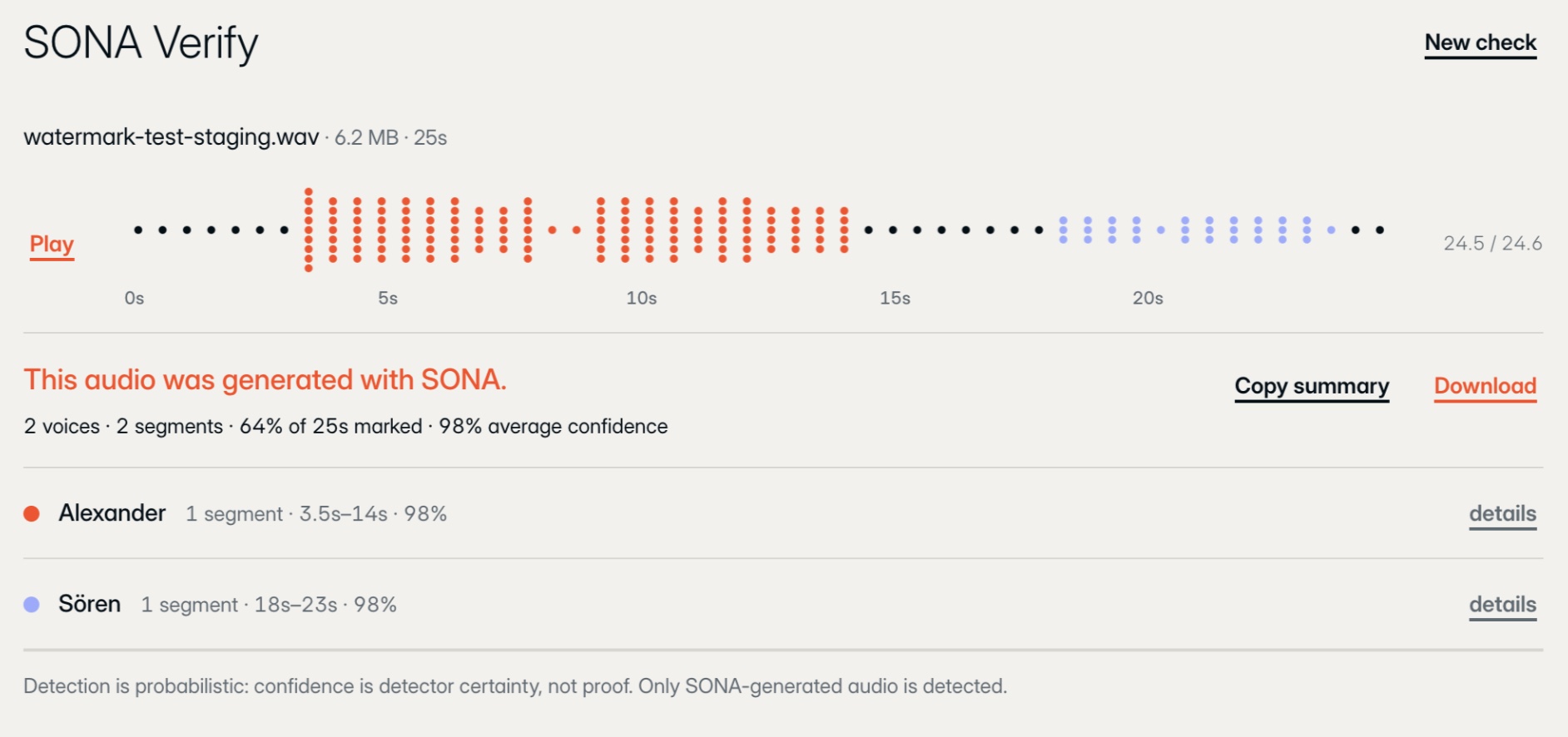
Every SONA render is traceable. Drop any file into SONA Verify and see whether it came from SONA, which voices have been used and who owns it.
We're building it to be the best for professional post-production; surviving cuts, multiple stems and audio overlays, various export formats, and re-encoding such as MP3, so synthetic audio always stays accountable.
SONA voices
Real artists. Designed voices.
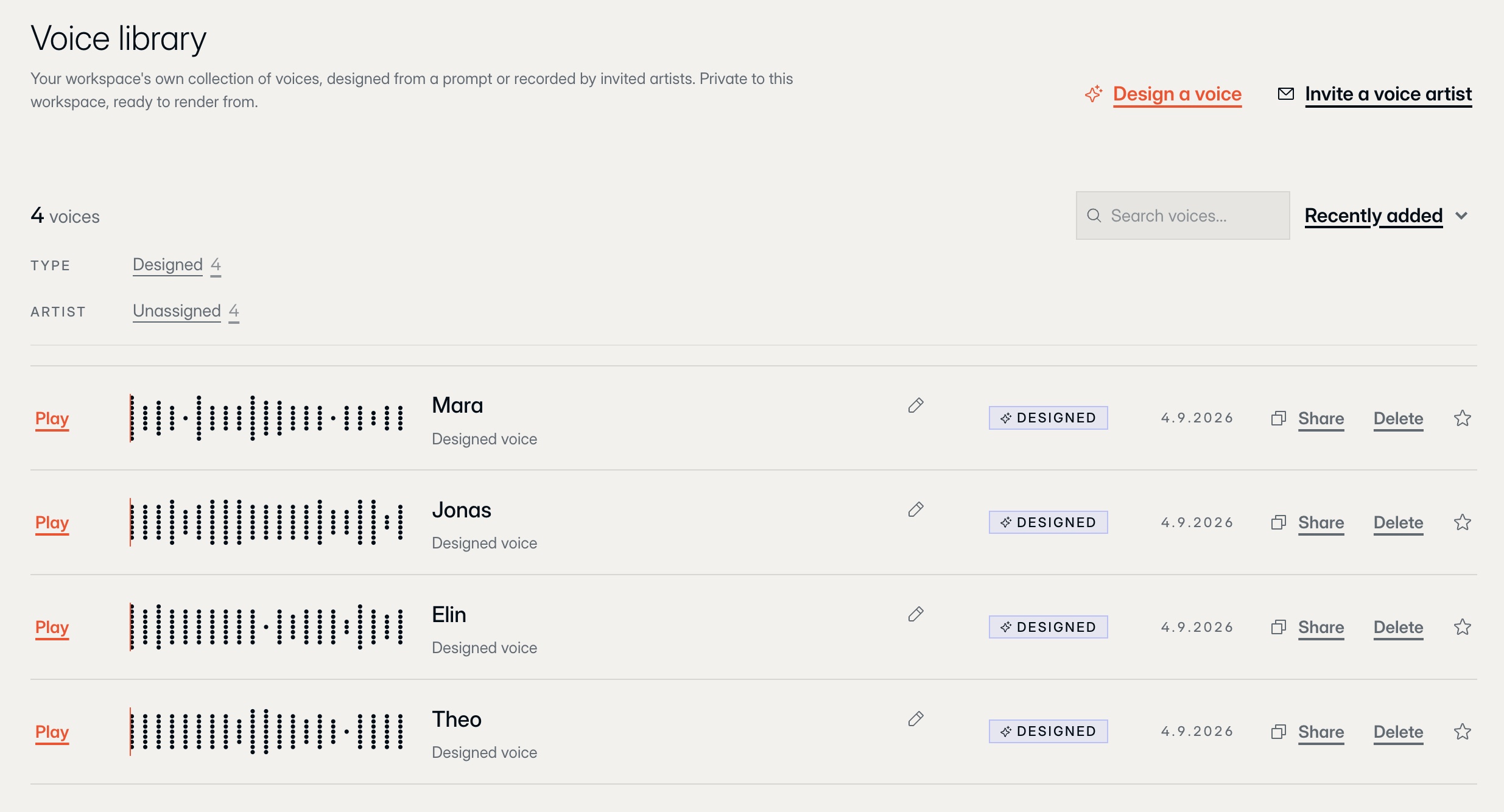
Onboard real voice artists in minutes: send a recording link, they record and give consent in the same step. The voice joins your workspace library with the permission trail attached, ready to cast.
Or describe the character you need and design a voice from a prompt: unique to your production, owned by you, private to your workspace.
EU data residency
Your material stays in Europe.
Built, hosted and processed on EU infrastructure. Not routed through it.
EU-only processing. Our servers run in Germany. Uploads, processing and renders never leave EU infrastructure.
48-hour data requests. Access, export or deletion, answered within two business days. Not within the month the GDPR allows.
Technical details
- Hosts & formats
- Pro Tools (AAX), Nuendo and other VST3 hosts, with deep ARA integration where available, plus a panel for Adobe Premiere Pro.
- Languages
- Dub into 20+ languages. Translation, timing and the original performance's character are preserved through the render.
- Rendering & usage
- Unlimited rendering, included in the flat rate for everyone in your workspace. Nothing is metered and there is nothing to top up.
Beta
In the works.
Automatic dubbing and subtitling of whole productions are rolling out with selected studios. If your production needs them today, talk to us and we'll get you in early.